Blog ·
Image-to-Video Memes: How to Animate a Photo and Make It Funny
One still photo, three seconds of motion, one well-placed sound. That is the whole recipe.
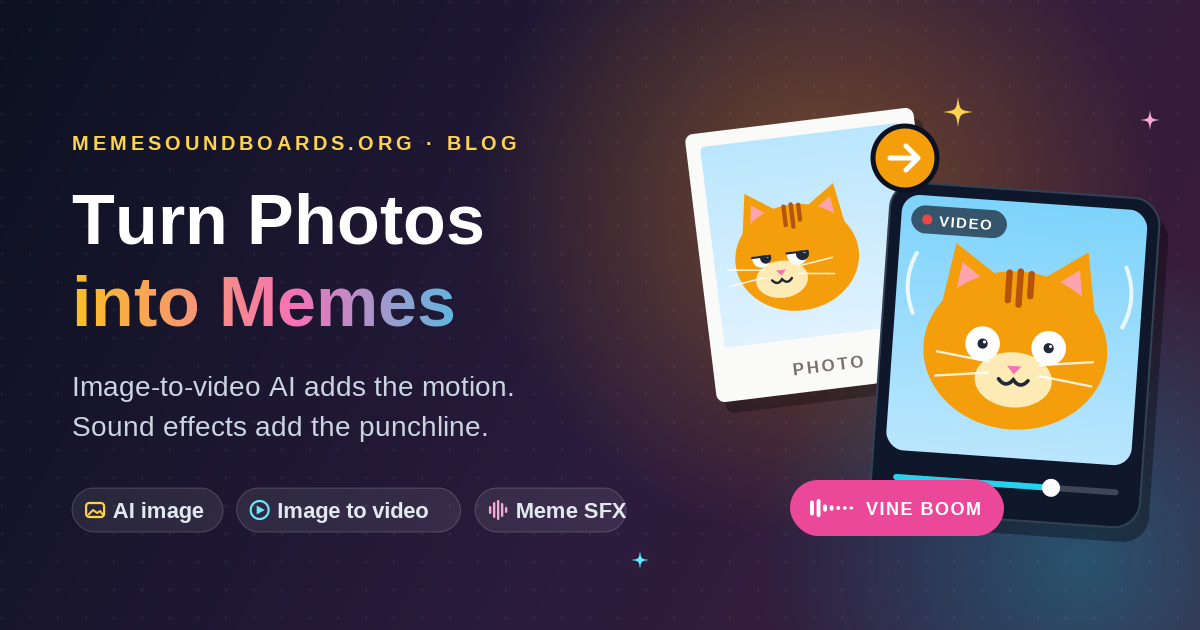
Most classic memes are still images. A cat giving the camera a judgmental side-eye is funny as a photo. The same cat slowly turning its head until it stares straight into the lens, followed by a Vine Boom, is funnier. It also works on TikTok, Reels and Shorts, which all want video.
Image-to-video AI closes that gap. You give it one picture and a short description of the motion, and it gives you a few seconds of video. The tool handles the animation. Your job is to pick a photo that will survive being animated, choose a motion that is actually funny, and put the sound in the right place. This guide covers all three.
1. Pick a Photo That Will Animate Well
The source image decides most of the result. Image-to-video models have to guess what should move, and some photos make that guess easy:
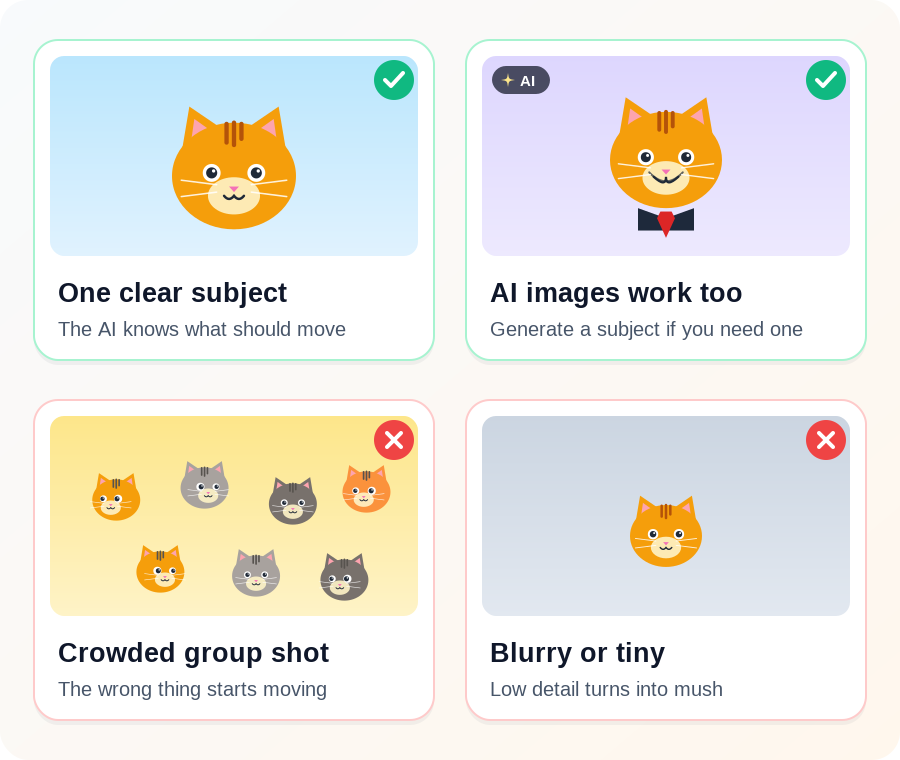
- One clear subject. A single face filling a good part of the frame. Pets are ideal: expressive, instantly readable, and nobody minds seeing them on the internet.
- A simple background. A plain wall or a blurred-out room keeps the model focused on the subject instead of animating the furniture.
- An expression that is already halfway there. A slightly suspicious look, a mid-yawn face, a dog staring at the treat cupboard. The motion only has to finish the joke.
- Enough resolution. Blurry or tiny photos come out as mush once they start moving.
No good photo? Generate one. An AI image like "a very serious cat in a tiny business suit, office portrait" is a perfect starting point, and you can make as many variations as you need before animating the best one.
One rule on what not to animate: stick to your own photos, AI-generated images, or pictures you have permission to use. Animating photos of real people without their consent can break platform rules on manipulated media, and it is not a nice thing to do to someone. Celebrity photos and famous meme templates are usually someone else's copyright too. Your own pet is funnier anyway.
2. Animate It with a Funny Motion
ImgVeo covers both steps of this guide: it generates images from a text prompt and turns a still image into a short video. Image-to-video works best when you describe one simple motion in a short prompt, and the choice of motion is where the comedy comes from. These six are reliably funny:
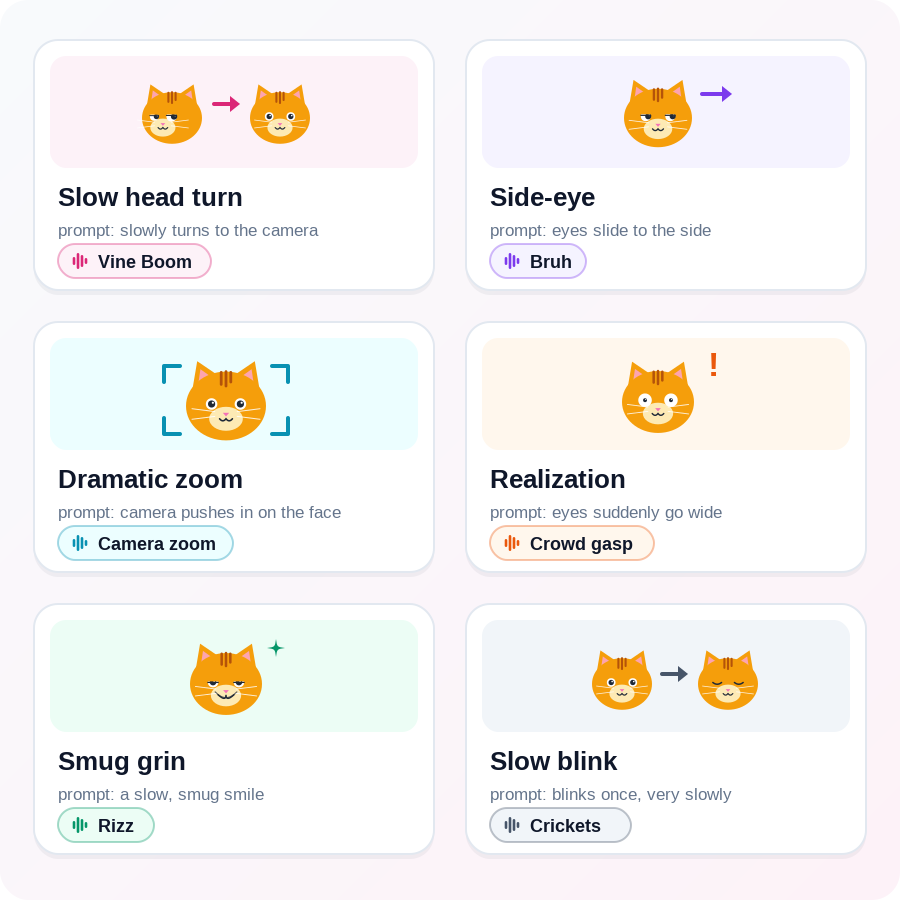
- The slow head turn. The subject turns until it looks straight into the camera. Land a Vine Boom on the moment the eyes meet the lens.
- The side-eye. Only the eyes move, sliding slowly to one side. Follow it with a Bruh or a Huh.
- The dramatic zoom. The camera pushes in on the face. Pair it with a camera zoom and finish with a dramatic sting.
- The realization. The eyes suddenly go wide. A crowd gasp or a record scratch sells it.
- The smug grin. A slow, self-satisfied smile spreads across the face. That is exactly what the Rizz sound is for.
- The slow blink. One long, unimpressed blink. Nothing but crickets afterward.
Keep the motion small. One action per clip is the rule. Big, complex movements are where faces start to warp and backgrounds start to melt. A subtle head turn looks real, while a full-body dance from a single photo usually doesn't. Generate a few takes and keep the one where the key moment reads most clearly.
3. Land the Sound on the Peak Frame, Then Hold
Every motion above builds to one frame: the moment the head finishes turning, the eyes reach the side, the grin is complete. That is where the sound effect starts.
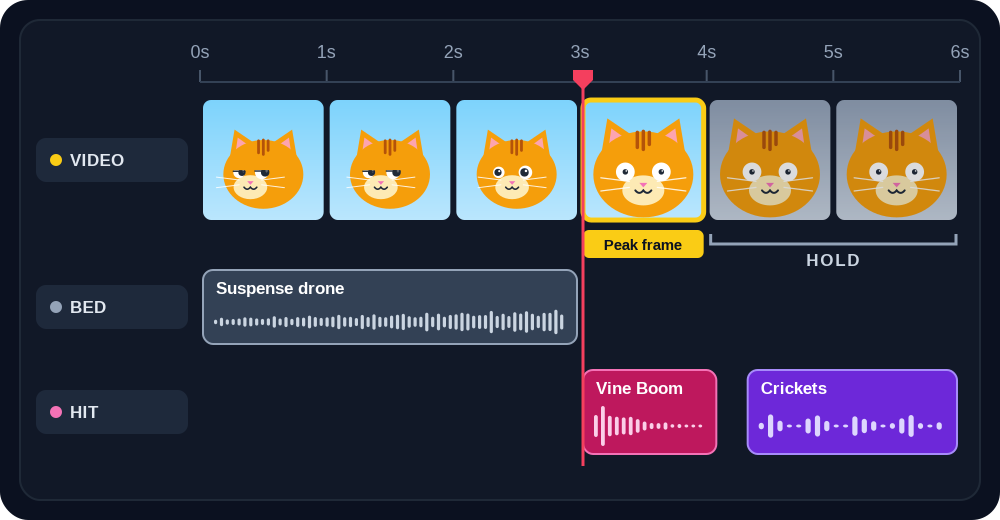
- Build quietly. A low suspense drone or tension strings under the motion makes even a cat turning its head feel like a thriller.
- Hit on the peak frame. Line up the loudest part of the sound with the frame where the motion completes, not with the start of the audio file.
- Hold the last frame. This is the step most people skip. AI clips often end right as the motion finishes, which leaves no time for the joke to register. Freeze the final frame in your editor for one or two seconds after the hit. That stare into the camera is the punchline.
- Fill the hold, or don't. Silence works. So do crickets, or the subject's own sound: a meow, a hiss, a single bark.
4. Turn One Photo into a Reaction Pack
Here is the trick that gets the most use out of a single photo: animate it several times with different motions. One picture of your cat becomes a side-eye clip, a slow-blink clip, a realization clip and a smug-grin clip. Pair each with its sound and you have a personal set of reaction videos for group chats and servers. They go well alongside a Discord soundboard.
For clips you want to loop, ask for a motion that ends where it started, like a blink, a slow nod or a glance away and back. A seamless loop works like a GIF and gets rewatched instead of skipped.
If you'd rather generate the whole scene from scratch, our guide to making AI meme videos covers text-to-video. To have a narrator comment on your animated photo, see AI voiceovers for meme videos.
5. Mistakes That Ruin Animated Photo Memes
- Asking for too much motion. One small action. The more you ask the model to invent, the more it has to guess.
- A busy source photo. If there are five things in the frame, the model may animate the wrong one.
- No hold at the end. The clip ends on the punchline frame and the joke is gone before anyone gets it.
- The sound off the peak. A Vine Boom half a second after the head finishes turning reads as a mistake, not a joke.
- Animating people without permission. Use your own photos, your pets, or AI-generated images.
Putting It Together
Take a photo of your dog staring at the treat cupboard. Upload it to ImgVeo's image-to-video generator with a prompt like "the dog slowly turns its head and looks directly at the camera, the camera slowly pushes in". Put a quiet suspense drone under the turn, drop a Vine Boom on the frame where the eyes meet the lens, and hold that frame for a second and a half.
One photo, two sounds, and a dog who now appears to know exactly what you did.