Blog ·
AI Voiceovers for Meme Videos: How to Make Text-to-Speech Funny
A good voiceover turns random footage into a bit. Here is how to write one, generate it with AI, and time your sound effects around it.
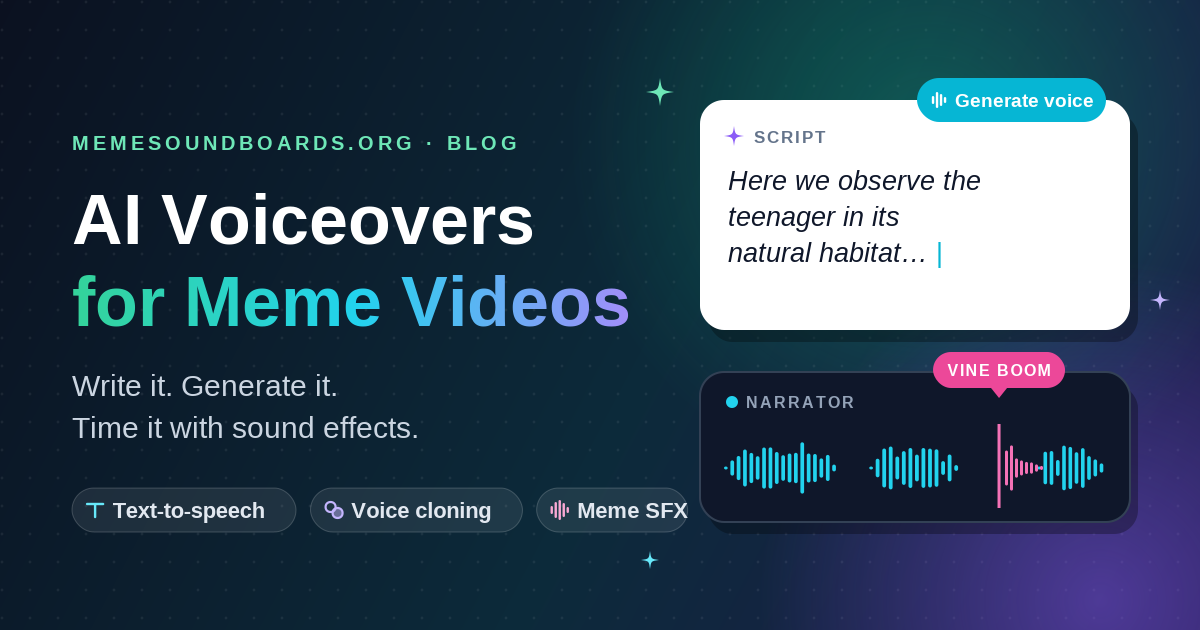
A lot of the internet's best meme formats are just a voice. A nature-documentary narrator describing someone eating cereal. A movie-trailer voice announcing that the Wi-Fi is down. A flat, robotic text-to-speech voice reading something completely unhinged in total calm. The footage underneath is often nothing special. The voice is the joke.
That used to mean recording yourself (and hating how you sound) or living with the one default TTS voice every app ships with. AI voice tools changed that: you can type a script, pick a voice that fits the bit, and get narration back without touching a microphone. This guide covers the narrator formats that work, how to write for a synthetic voice, and how to time meme sound effects around the narration so the punchline lands.
1. Pick a Narrator Format
Before choosing a voice, choose the character. Each of these formats comes with a delivery style and a sound that pairs naturally with it:
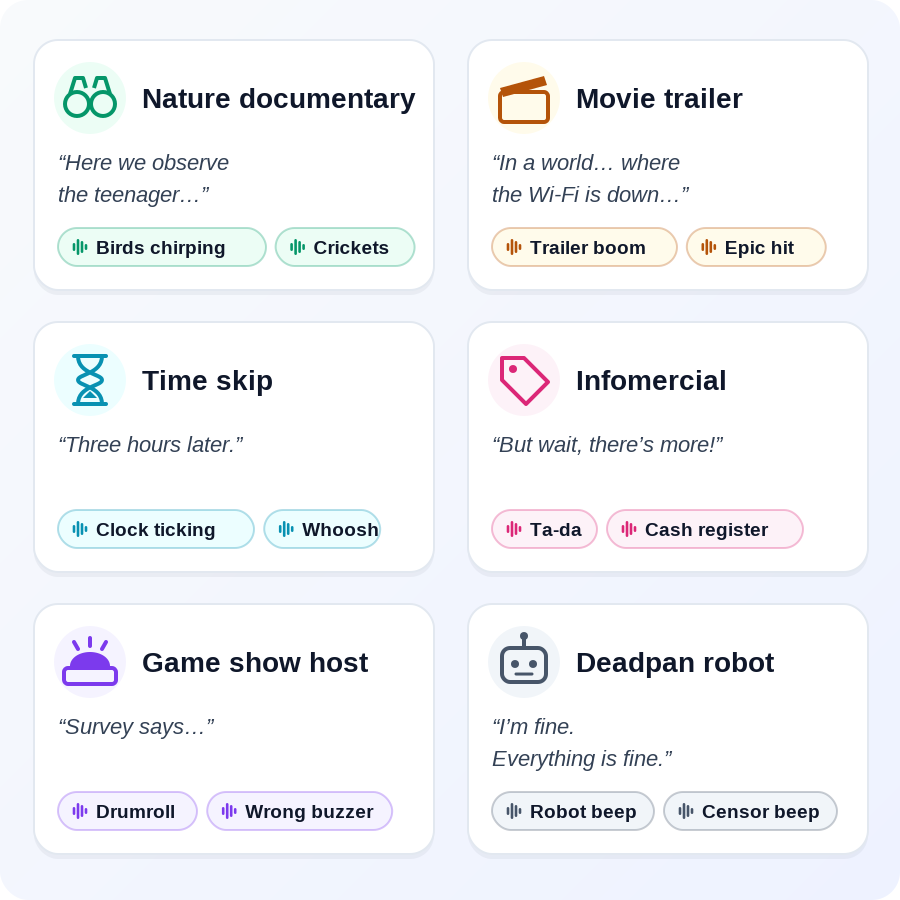
- The nature documentary. Calm, hushed, a little too fascinated. "Here we observe the teenager in its natural habitat." Lay birds chirping underneath and let crickets fill the silence after an observation.
- The movie trailer. Deep, slow, enormous. "In a world… where the Wi-Fi is down…" Every pause between phrases wants a trailer boom, and the title card wants an epic hit.
- The time skip. "Three hours later." One line, read with total seriousness over a ticking clock or straight after a whoosh.
- The infomercial host. Bright, pushy, slightly too loud. "But wait, there's more!" Pair with a ta-da or a cash register.
- The game show host. "Survey says…" A drumroll under the build-up, then a wrong-answer buzzer for the reveal.
- The deadpan robot. The flattest voice you can find, reading something emotional in complete calm. "I'm fine. Everything is fine." A robot beep or a censor beep finishes it. Here the mismatch between delivery and content is the whole joke, so don't pick an expressive voice.
2. Generate the Voice
AnyVoice is an AI text-to-speech and voice cloning tool, which covers both halves of this guide: type your script, pick a voice that matches the format, and generate the narration. For a trailer bit you want something deep and slow, for a documentary something calm and warm, and for the robot format something as flat as possible.
Generate the same line in two or three different voices before committing. The right voice does half the comedic work. A documentary line read by an excited voice is just a video. The same line read in a hushed, reverent tone is a meme.
3. Write the Script for a Synthetic Voice
A text-to-speech voice reads exactly what you give it. Writing for it is a little different from writing for yourself:
- Keep sentences short. One idea per sentence. Long sentences tend to flatten into a monotone, and a monotone only works for the robot format.
- Use punctuation as stage directions. Commas add a breath, periods add a full stop, and an ellipsis usually stretches the pause. Voices handle punctuation differently, so try a couple of variations.
- Spell out what you want said. Numbers, abbreviations and meme slang are easy to mispronounce. Write "nine days" rather than "9d", and spell slang phonetically if the first take gets it wrong.
- Generate the punchline as its own clip. This is the single most useful trick. When the setup and the punchline are separate files, you control the pause between them exactly in your editor, and the pause is where the comedy lives.
4. Time Sound Effects Around the Voice
Once you have the narration, the sound effects go around it, not on top of it.
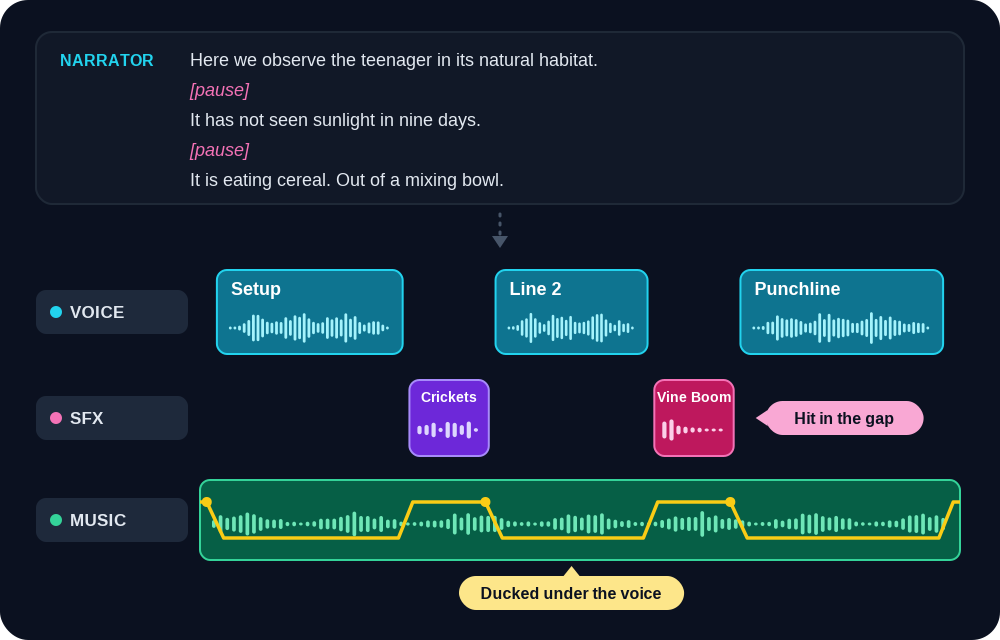
- Put the hit in the gap. Never land a sound effect on top of a word. Let the line finish, leave a beat, then play the hit. The voice sets up the joke, and the sound is the reaction.
- Duck everything else. Music and ambience should dip every time the narrator speaks and come back up in the gaps. If you have to strain to hear a word, the bed is too loud.
- Let silence work. Sometimes the best sound after a line is crickets, or nothing at all.
- Match the hit to the line. A Vine Boom after a deadpan statement, a rimshot after a bad pun, a sad trombone after a failure, a crowd gasp after a shocking reveal, a record scratch right before "let me explain".
For more on placing and layering meme sounds, see our guide to using meme sound effects in videos. If your footage is AI-generated as well, how to make AI meme videos covers the visual side.
5. Clone Your Own Voice for a Series
If you run a recurring format, such as a weekly narrated series or a character that keeps coming back, consistency matters. Viewers recognize a voice faster than a face, and a narrator who sounds the same every episode starts to feel like a brand.
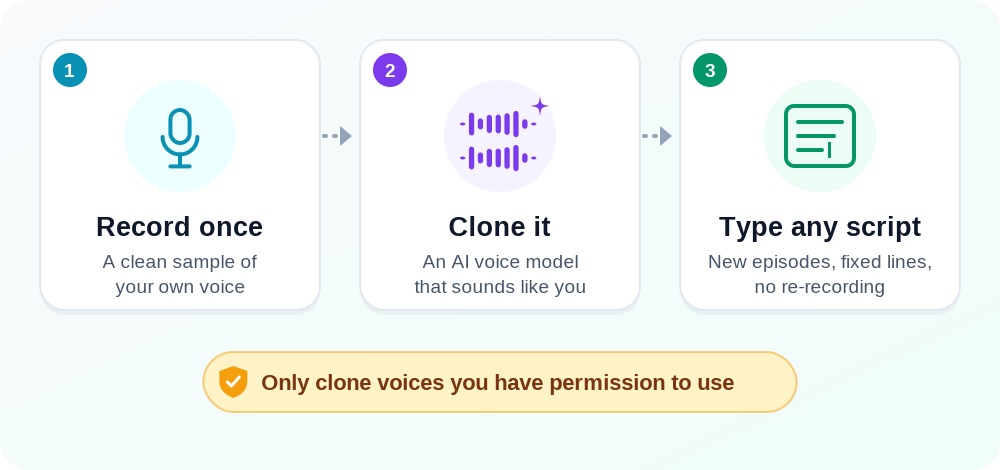
Cloning your own voice gets you that consistency without recording every episode. With AnyVoice's voice cloning, you record a clean sample of yourself once and from then on generate narration from text. That pays off in ways that are easy to underestimate:
- Fix one line without re-recording. Change a word in the script and regenerate that line instead of redoing the whole take.
- Keep the same delivery. No more episodes where you sound tired, sick or recorded in a different room.
- Write anywhere. A script typed on your phone becomes an episode without a quiet room or a microphone.
For a good clone, record the sample in a quiet room with no music, speak at your natural pace, and keep the same distance from the microphone throughout.
One rule matters more than any technique: only clone voices you have the right to use, meaning your own or someone who has clearly agreed to it. Cloning a celebrity, a streamer or a friend without permission can break platform rules on impersonation and, in many places, the law. It is not even necessary: an original narrator character is more memorable than an impression.
6. Mistakes That Ruin AI Voiceovers
- The default voice for everything. Viewers have heard it a million times. Picking a voice that fits the character is the cheapest upgrade available.
- Reading too fast. Comedic timing needs air. If a line feels rushed, slow it down or split it into two clips.
- Music fighting the narration. If the bed isn't ducked, every word competes with it.
- Sound effects on top of words. The hit belongs in the gap after the line.
- Explaining the joke in the script. The narrator sets it up. Let the footage and the sound effect deliver it.
Putting It Together
Here is a complete nature-documentary bit. The footage: someone eating cereal at 3 a.m. The script, generated line by line in a calm documentary voice:
Here we observe the teenager in its natural habitat.
It has not seen sunlight in nine days.
It is eating cereal. Out of a mixing bowl.
Lay birds chirping under the whole thing, ducked under each line. Drop crickets into the gap after line two, and land a Vine Boom a beat after "mixing bowl". Three lines, three sounds, and a viewer who watches it twice.